Hey graphhopper team !
I’m facing a simple problem with a fresh installed Graphhopper server (v11.0), default route sometime prevents tunnels and bridges from main road.
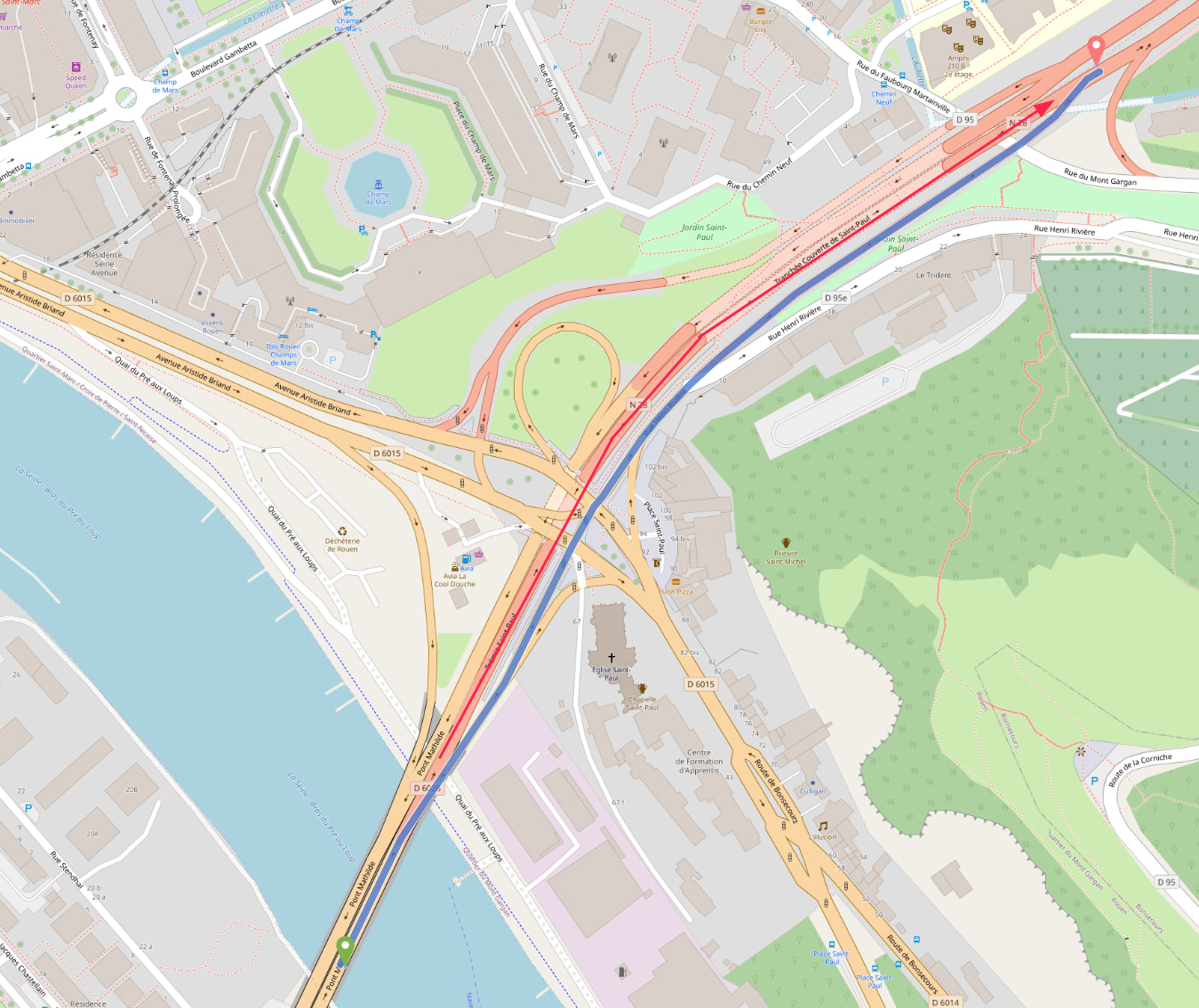
For example : from 49.42621053,1.105771538 to 49.437094,1.109994
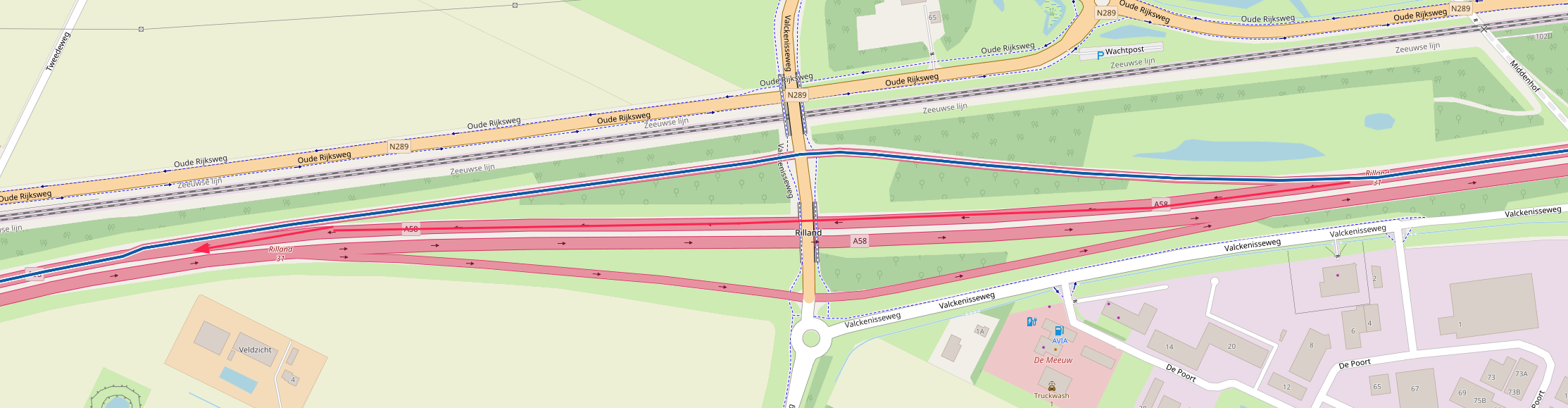
On my fresh installed server :
On official server :
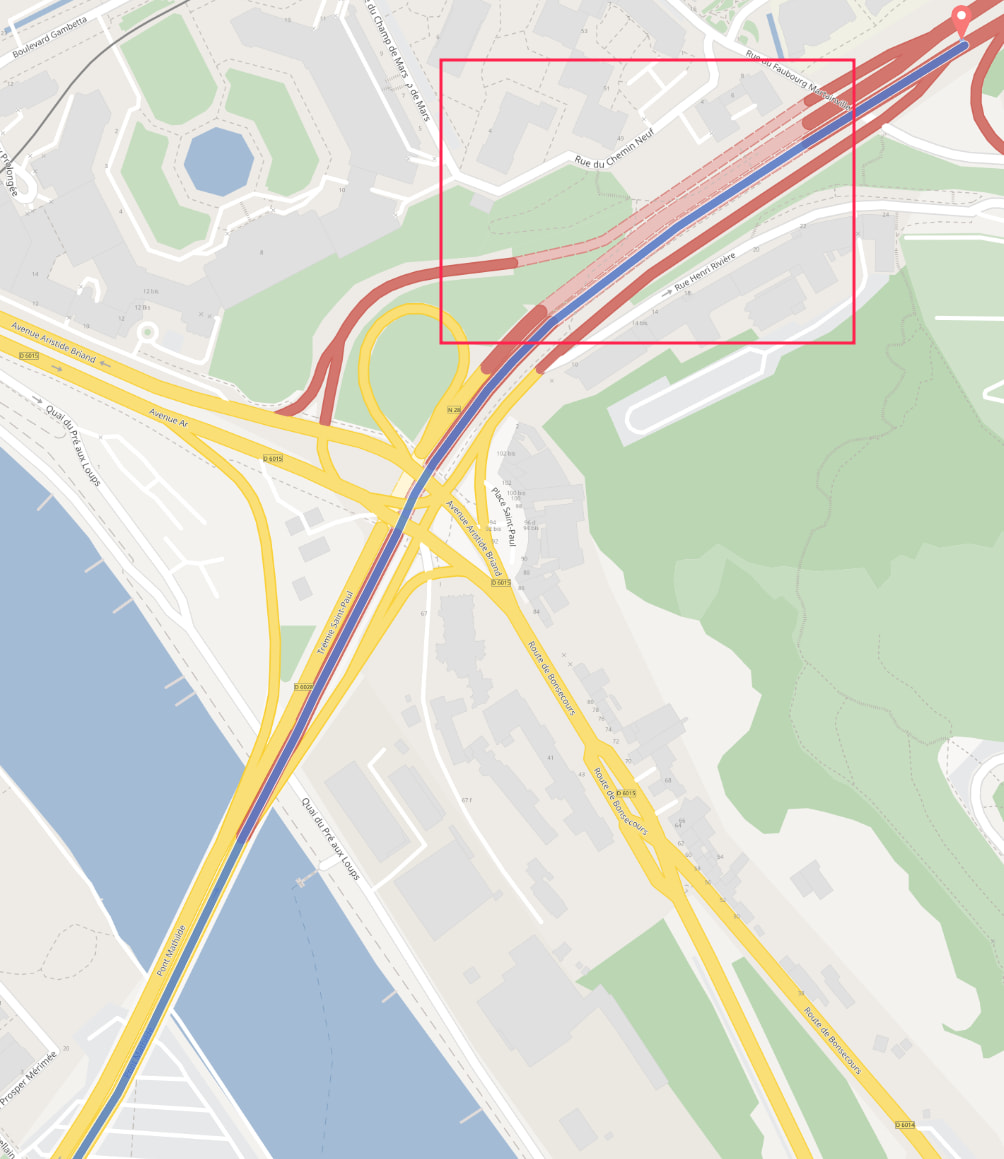
Section inside the red square is a tunnel.
The official Graphhopper server is right, the tunnel is the obsious and shortest way 
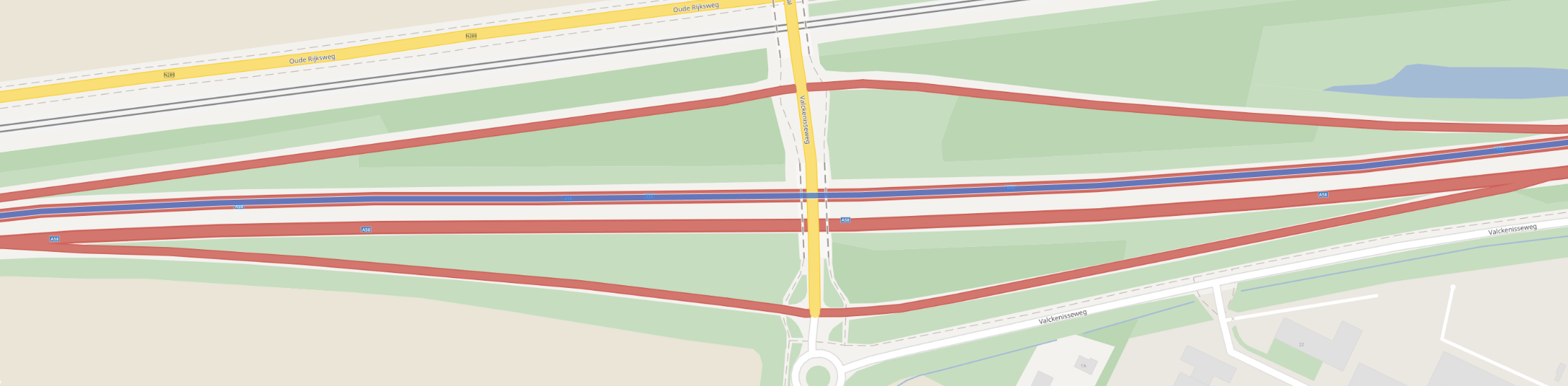
Other example : from “Bergen op Zoom” to “Goes” , around 51.423771,4.188086 location, route leaving motorway (to avoid a bridge/small tunnel ?) and then go back on motorway.
On official server :
Grapphopper’s config
graphhopper:

  datareader.file: ""
  graph.location: graph-cache

  profiles:
    - name: car
      custom_model_files: [car.json]

  profiles_ch:
    - profile: car

  profiles_lm: []

  graph.encoded_values: road_class,road_class_link,road_environment,max_speed,road_access,surface,smoothness,max_width,max_height,max_weight,hgv,max_axle_load,max_length,
             ,lanes,osm_way_id,toll,track_type,country,curvature,average_slope,max_slope,car_access,car_average_speed

  graph.elevation.provider: srtm

  graph.elevation.cache_dir: /elevation/srtm/

  prepare.min_network_size: 200
  prepare.subnetworks.threads: 1

  routing.snap_preventions_default: ferry

  routing.non_ch.max_waypoint_distance: 2000000

  import.osm.ignored_highways: ''

  graph.dataaccess.default_type: RAM_STORE
Am I missing something ? Is there some extra configurations on official Graphhopper servers ?
Thanks a lot !

