I’m trying to analyze the MapMatching process.
I created a GH instance using “racingbike” profile but the issue is similar with default car profile.
I provide a test GPX file which mimics unstable GPS readings:
test_mm_gh.gpx (3.7 KB)
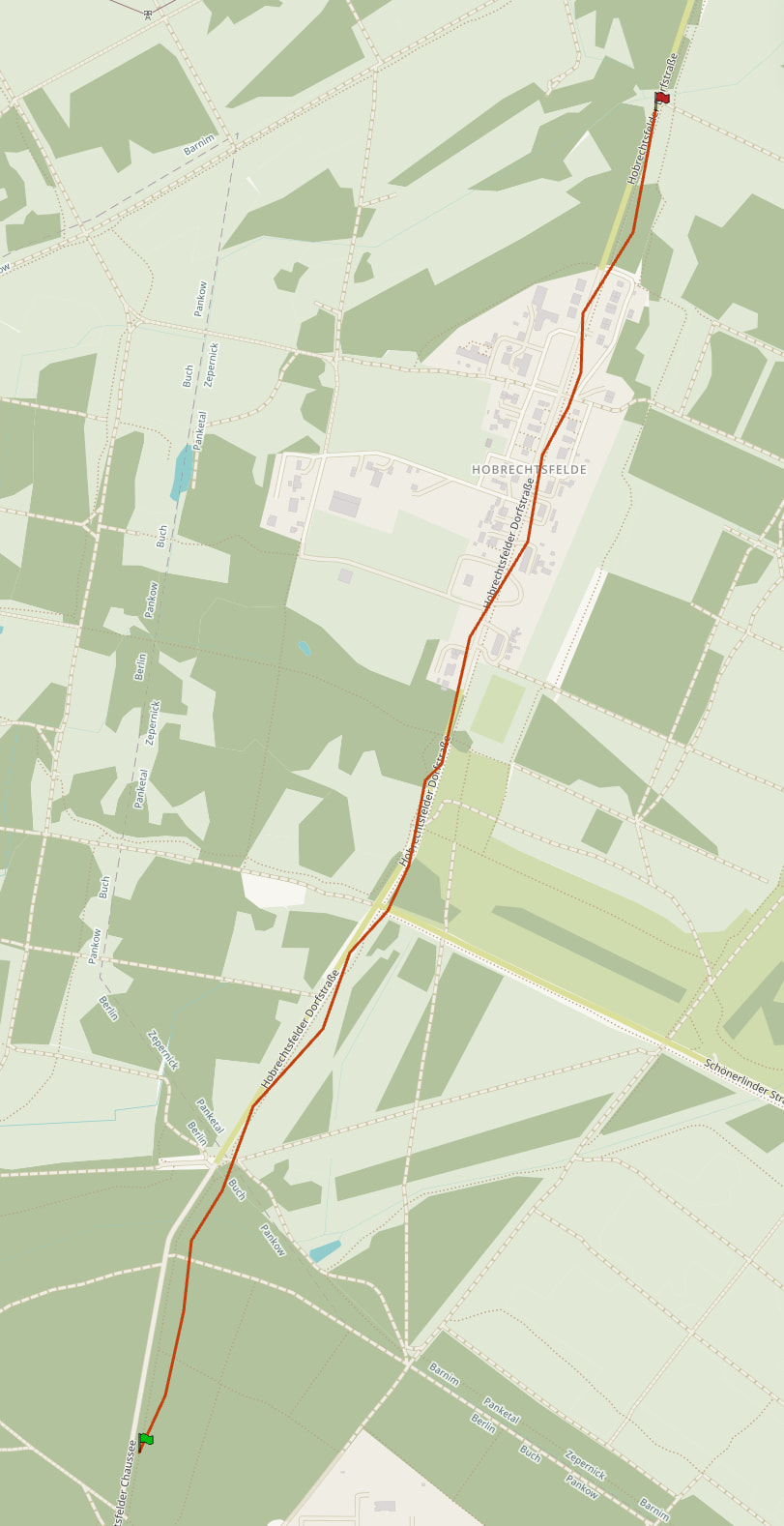
Now after MapMatching I would expect the track to be mapped along the road.
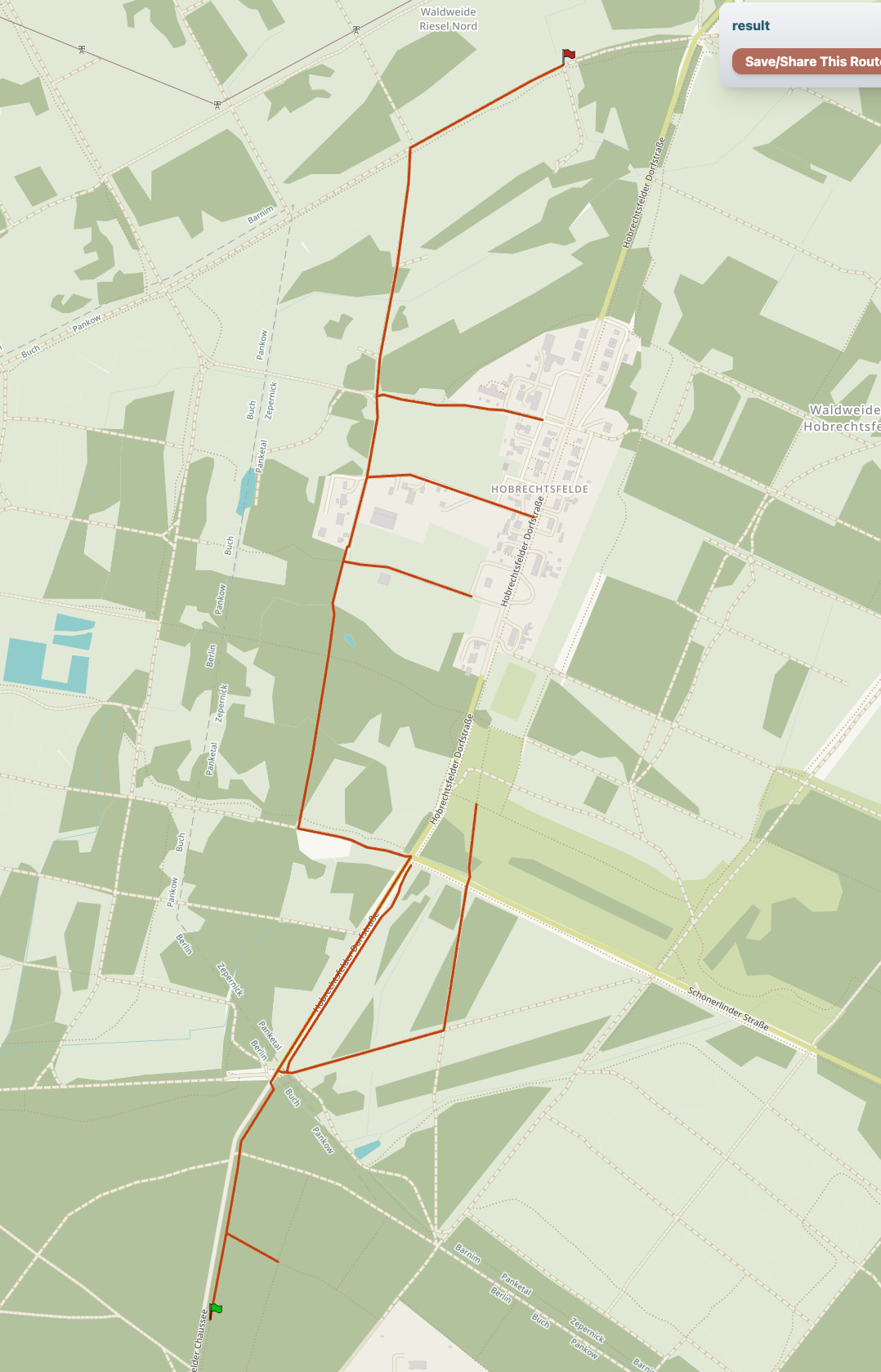
But the result looks like this:
mm_result.gpx (17.4 KB)
Here is my code
    public static void mapMatching(GraphHopper hopper, String profile) throws IOException {

        final PMap hints = new PMap();
        PMap profileResolverHints = new PMap(hints);
        profileResolverHints.putObject("profile", profile);
        profileResolverHints.putObject(Parameters.CH.DISABLE, true);
        hints.putObject("profile", profile);

        MapMatching mapMatching = MapMatching.fromGraphHopper(hopper, hints);

        final XmlMapper xmlMapper = new XmlMapper();
        InputStream stream = MapMatchingTest.class.getResourceAsStream("/test_mm_gh.gpx");
        Gpx gpx = xmlMapper.readValue(stream, Gpx.class);
        MatchResult matchResult = mapMatching.match(GpxConversions.getEntries(gpx.trk.get(0)));


        //create result GPX
        final TranslationMap trMap = new TranslationMap().doImport();
        final double minPathPrecision = 0.5;
        final List<String> pathDetails = Collections.emptyList();
        long time = gpx.trk.get(0).getStartTime()
                .map(Date::getTime)
                .orElse(System.currentTimeMillis());
        final boolean withRoute = true;

        Translation tr = trMap.getWithFallBack(Helper.getLocale("de"));
        RamerDouglasPeucker simplifyAlgo = new RamerDouglasPeucker().setMaxDistance(minPathPrecision);
        //setup evaluator
        PathMerger pathMerger = new PathMerger(matchResult.getGraph(), matchResult.getWeighting()).
                setEnableInstructions(true).
                setPathDetailsBuilders(hopper.getPathDetailsBuilderFactory(), pathDetails).
                setRamerDouglasPeucker(simplifyAlgo).
                setSimplifyResponse(minPathPrecision > 0);
        //evaluates instructions
        ResponsePath responsePath = pathMerger.doWork(PointList.EMPTY, Collections.singletonList(matchResult.getMergedPath()),
                hopper.getEncodingManager(), tr);

        String result = GpxConversions.createGPX(responsePath.getInstructions(), "result", time, hopper.hasElevation(), withRoute, true, false, Constants.VERSION, tr);

        final Path path = Files.writeString(
                Path.of("mm_result.gpx"),
                result,
                StandardCharsets.UTF_8
        );

        System.out.println("Did write result GPX file to "+ path);

    }
What is wrong?
Somewhere in the request parameters for the matching api there is a parameter for the accuracy. Its job is to determine how much the matched route can deviate from the provided track. You should look into that.
More specifically in your case it looks like the matching does not want to follow the optimal route. The profile you use for the matching is one that, if used when creating a route, would also not prefer that route.
In my app I also use map matching and for that I use a special profile which has also CH enabled. In order to give the user a route that is as close to what they input this special profile for example ignores obstacles like gates which my other profiles would normally not route through.
So, if you use that same profile in the directions api, does it create a route for you along that road?
I can set
mapMatching.setMeasurementErrorSigma(50.0);
to another than the default 10.0 meter. However this does not change the result.
I’m setting
profileResolverHints.putObject(Parameters.CH.DISABLE, true);
because I saw here that it needs to be disabled.
Also if I use a perfectly aligned route as input
test_mm_straight.gpx (5.5 KB)
I see a similar wrong result. I don’t see what is wrong with my (above) code. Please help.
My point regarding the profile is this. Let’s say you create a route using “car” profile, download the gpx and then try to match with “bike” profile you are bound to get random result. This links to accuracy too: if cycleway is further than the accuracy away from the road then matching won’t find suitable path for matching the gpx using bike profile which would like to use cycleways instead of e.g. motorway.
GitHub seems to be having issues and I can not get to the page you linked to. I don’t think you must disable ch, AFAIK.
Can you make a route using your application using the same profile configuration you are trying to use in matching?
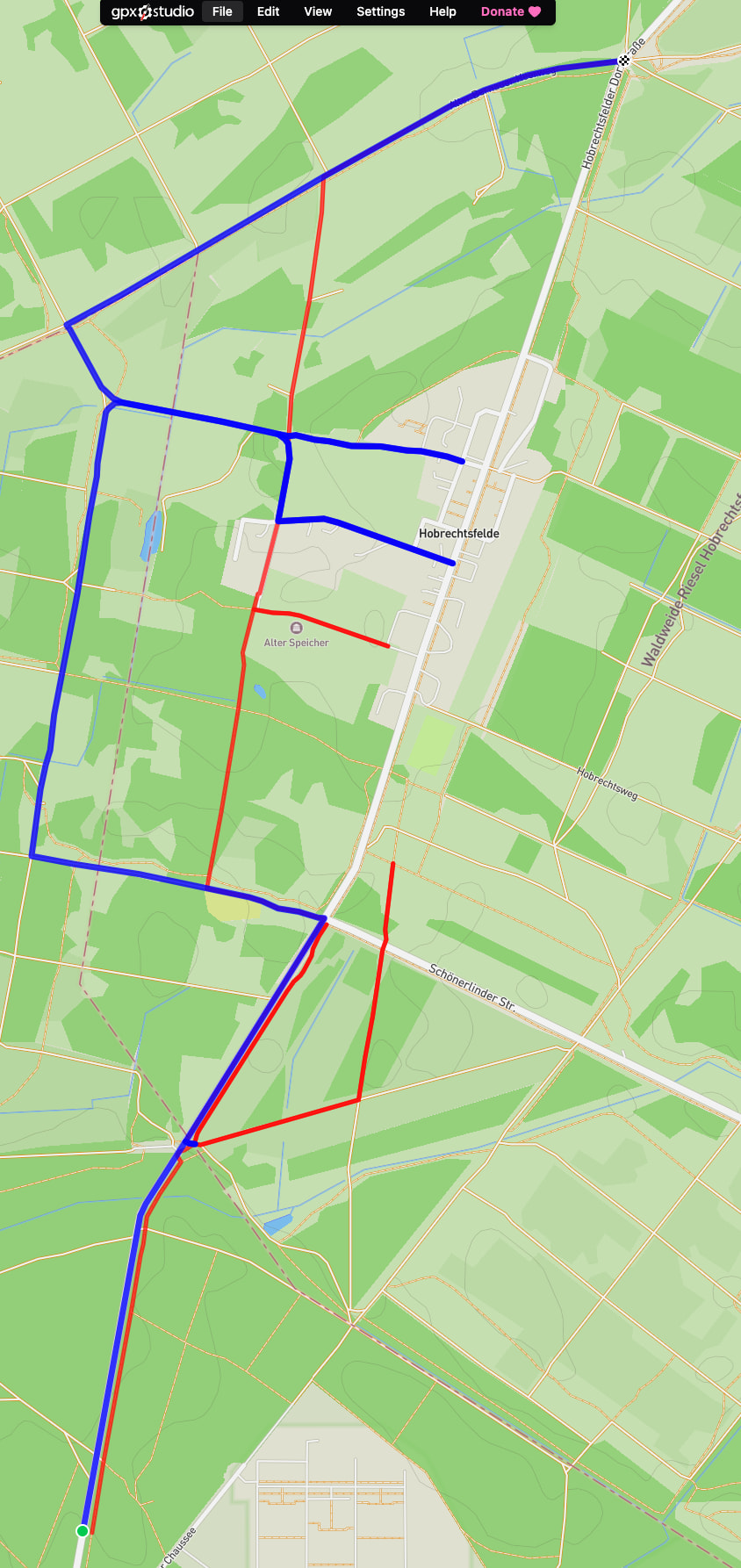
Creating a route returns a similar result:
Red is the racingbike profile, blue the car profile.
Here is the car setup
static GraphHopper createGraphHopperInstanceCar(String ghLoc) {
        GraphHopper hopper = new GraphHopper();
        hopper.setOSMFile(ghLoc);
        // specify where to store graphhopper files
        hopper.setGraphHopperLocation("target/routing-graph-cache");

        // add all encoded values that are used in the custom model, these are also available as path details or for client-side custom models
        hopper.setEncodedValuesString("car_access, car_average_speed, road_access, road_environment, max_speed, ferry_speed");

        // see docs/core/profiles.md to learn more about profiles
        hopper.setProfiles(new Profile("car")
                        .setWeighting("custom")
                .setCustomModel(GHUtility.loadCustomModelFromJar("car.json")));

        // this enables speed mode for the profile we called car
        hopper.getCHPreparationHandler().setCHProfiles(new CHProfile("car"));

        // now this can take minutes if it imports or a few seconds for loading of course this is dependent on the area you import
        hopper.importOrLoad();
        return hopper;
    }
and racingbike
   static GraphHopper createGraphHopperInstanceRacingBike() throws Exception {
        GraphHopper hopper = new GraphHopper();

        File file = null;
        URL resource = MapMatchingTest.class.getResource("/config.yml");
        if (resource == null) {
            throw new IllegalArgumentException("file not found!");
        } else {
            // This returns a File object (Warning: Only works if NOT in a JAR)
            file = new File(resource.toURI());
        }

        YAMLMapper yamlMapper = new YAMLMapper();
        GraphHopperConfig config = yamlMapper.readValue(file, GraphHopperConfig.class);
        hopper.init(config);

        hopper.importOrLoad();
        return hopper;
    }
with yml
datareader.file: core/files/berlin.osm.pbf
graph.location: graphs/berlin-regular/graph
graph.elevation.provider: srtm   # enables elevation
profiles:
  - name: racingbike
    custom_model_files: [ racingbike.json, bike_elevation.json ]
profiles_ch:
  - profile: racingbike
graph.encoded_values: road_environment, racingbike_priority, mtb_rating, hike_rating, racingbike_access, bike_network, bike_road_access, roundabout, racingbike_average_speed, average_slope, surface, ferry_speed
import.osm.ignored_highways: motorway,trunk,primary
Ok, it looks like my test scenario is difficult.
For another, more inner city test case, map matching is working as expected.
If you want to investigate here again the file I used.
test_mm_straight.gpx (5.5 KB)