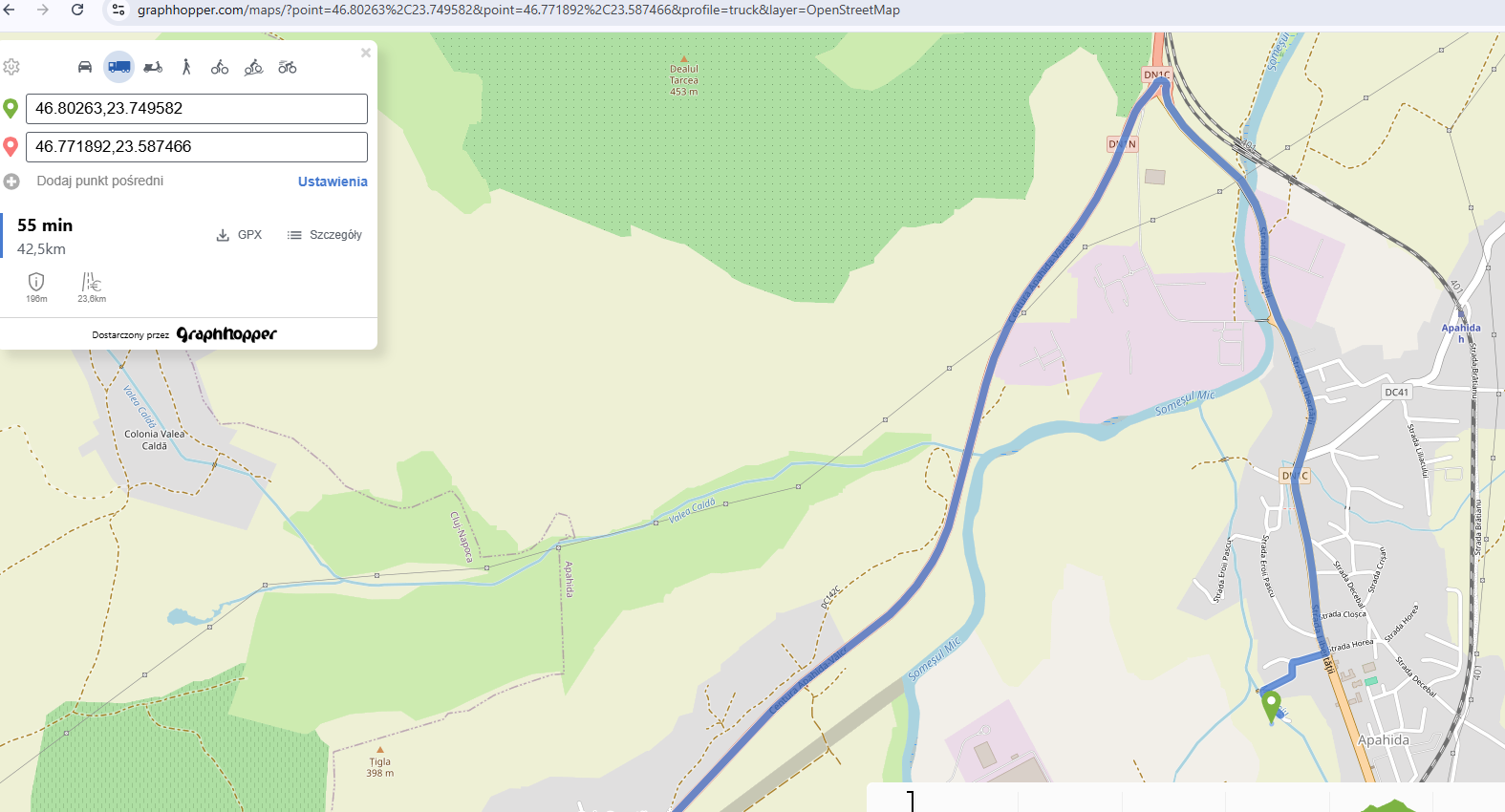
Hi,
I’m using GraphHopper 10 (local build) with the following profile configuration:
profiles:
  - name: car
    encoder: car
    weighting: custom
    custom_model_files:
      [
        model_car.json
      ]
  - name: no_motorway_car
    encoder: car
    weighting: custom
    custom_model_files:
      [
        model_no_motorway_car.json
      ]
  - name: no_toll_motorway_car
    encoder: car
    weighting: custom
    custom_model_files:
      [
        model_no_toll_motorway_car.json
      ]
  - name: truck
    encoder: car
    weighting: custom
    custom_model_files:
      [
        model_truck.json
      ]

vehicles:
  - name: car
model_car.json
{
  "speed": [
    {
      "if": "true",
      "limit_to": "car_average_speed * 0.95"
    },
    {
      "if": "urban_density == CITY",
      "multiply_by": 0.6
    },
    {
      "if": "urban_density == RESIDENTIAL",
      "multiply_by": 0.85
    },
    {
      "if": "road_class == MOTORWAY || road_class == TRUNK || road_class == PRIMARY || road_class == SECONDARY || road_class == TERTIARY || road_class == UNCLASSIFIED || road_class == RESIDENTIAL",
      "multiply_by": 0.93
    }
  ],

  "distance_influence": 0
}
I’ve also tried to add
{
“if”: “road_class == SERVICE”,
“multiply_by”: 0.5
},
{
“if”: “road_class == TRACK”,
“multiply_by”: 0.1
}
my local instance routes through fields and a river (no visible road),
while the same coordinates on graphhopper.com/maps follow the correct nearby road
It seems that my local profile behaves differently from the default “car” used on GH Maps.
Could you please confirm what default configuration GH Maps uses for the car profile,
and what might cause this routing mismatch?
my route:
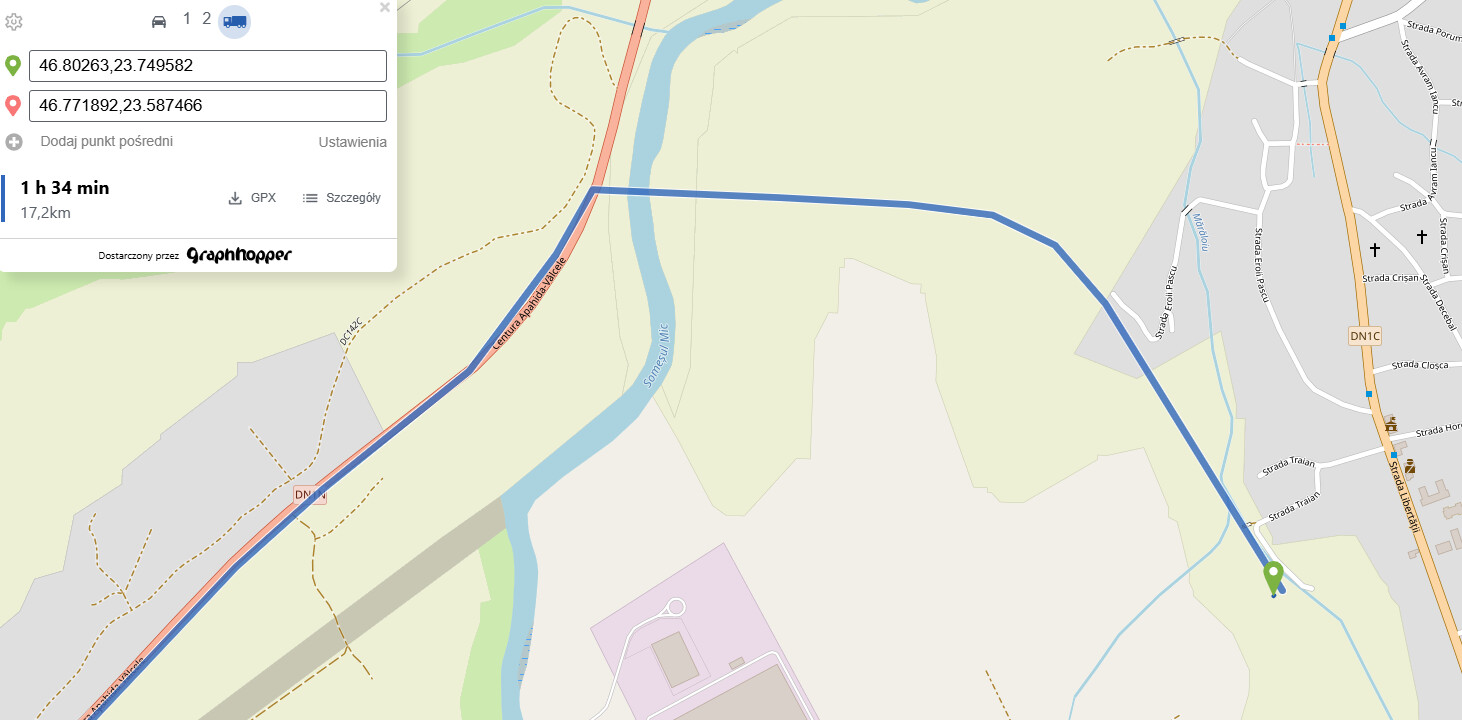
GH route: