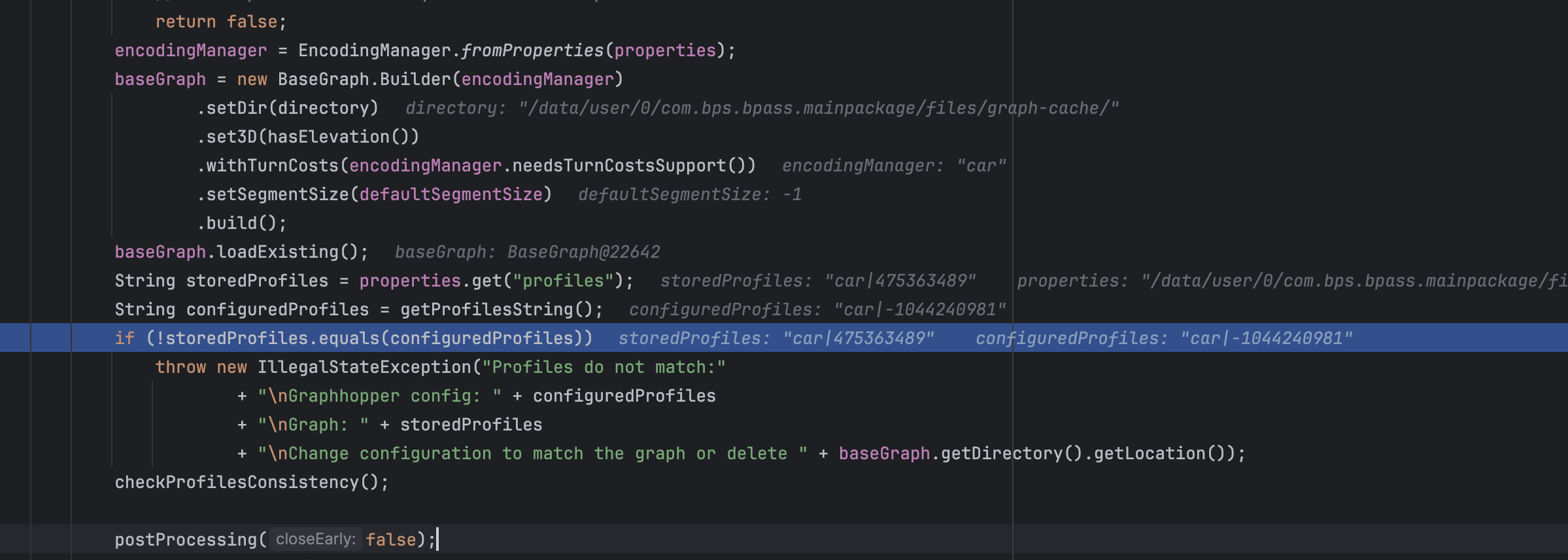
I have created graph-cache data using area.osm.pbf using graph hopper version 9.0.What I am facing currently while loading graph-cache from internal storage from android its land into exception says
"Profiles do not match: Graphhopper config: car|1078853760 Graph: car|475363489 Change configuration to match the graph or delete /data/user/0/com.bps.bpass.mainpackage/files/graph-cache/"
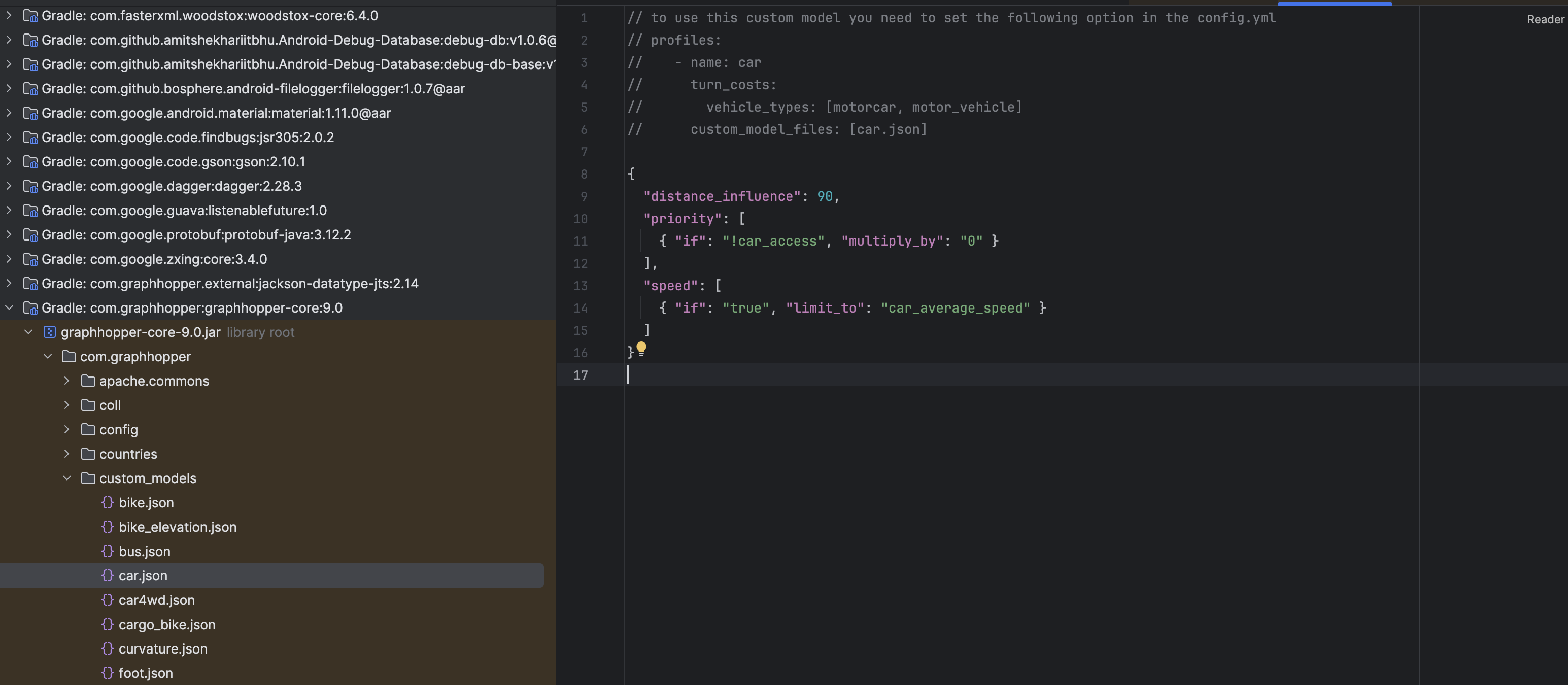
where as I am using config file of car which is provided by graph hopper version 9.0 so what exactlty went wrong ?
This is my code to initialze graph hopper profile
GraphHopper hopper = new GraphHopper();
** hopper.setGraphHopperLocation(graphCacheDir.getAbsolutePath());**
** Profile carProfile = new Profile(“car”)**
** .setName(“car”); // Or load actual car.json if needed**
** hopper.setProfiles(carProfile);**
** hopper.load(); // Load from graph-cache**
where as I am using config.yml sample exist in the repository of graph hopper.Need help commmunity !
Have you tried deleting the cache in /data/user/0/com.bps.bpass.mainpackage/files/graph-cache/? This happens when you change the profile and try to rerun without deleting the cache data.
I dont know why ids are Mismatched in version 9.0 even car.json is same when created graph-cache using web server and I have checked same json exist in jar file of com.graphhopper
I belive I am struggling with this same issue. I started using the core Java library and I managed to get all my other profiles to work by replicating the custom model setup in Java. I mean these kinds of profiles:
- name: car
      turn_costs:
        vehicle_types: [motorcar, motor_vehicle]
      custom_model:
        {
...
Those are simple and logical. What I do is:
Profile profile = new Profile("car").setCustomModel(<a customModel object that I have prepared regarding priority and speed>);
But my bicycle profile is different as it has no custom setup:
    - name: bike
      custom_model_files: [bike.json, bike_elevation.json]
Although, maybe the terminology here is the problem. You configure these using “custom_model_files”, but these are not the same as using “custom_model” in yml?
What I do with the bike profile is the same as with the others (with an “actual” custom profile in the config.yml):
// First I create the model, thinking this replicates what I have in the yml:

CustomModel customModel = CustomModel.merge(GHUtility.loadCustomModelFromJar("bike.json"),                                GHUtility.loadCustomModelFromJar("bike_elevation.json"));

...

// Then I load in the exact same way as others:

Profile profile = new Profile("bike").setCustomModel(customModel);
Is this actually the wrong way to do this? In your response you say: “But in your Java code you set the custom model directly (which uses the custom_model key in the hints map).”
What is the right way to set up this kind of profile using the core Java API?
No, loading the custom model json files and using them to setup the custom model object should work. If you get an error about non matching profiles, you could print the content string to see if there is any difference.
Ok, good, so I’m doing the right thing. There definitely is a difference, somewhere, because I get the error about mismatching profiles. I can debug the code and see that when the hash is calculated for the configured Profile it uses the formula (which you also showed in your response in April last year):
I am not sure what is causing this difference, especially since my other profiles have not had this problem. I am thinking that I should probably get the import tool onto my machine, build it and debug how it is forming the hash. I suppose there is nothing that can be determined just from looking at the hashes?
I have noticed the init method of Graphhopper.java, which says that the config parameter is “typically … read from config.yml". However, I can not see how I can read the config from the xml. I have not seen any code where this is done. So I am not calling the init method and instead I set up the profile using the CustomModel object and then call importOrLoad. Very much like in your RoutingExample example. I could try loading the yml instead, if I can get some insight into how that is done.
Oh and I’m on version 10.2, if that makes a difference.
The big picture here is that I’m trying to build a serverless setup of Graphhopper in Azure using Azure Functions written in Java. It works! Cold-start times are a pain though (around 14 seconds when using faster storage). Just one profile per Function App, so I get by with 2GB of RAM.
Ok, first of all, my question simply shows my experience in Java + XML + Jackson: not much
Secondly, thank you, I got the yml loading to work after some hassle and figuring out things.
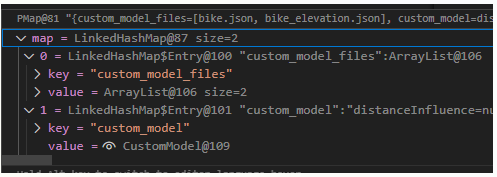
Thirdly, I now see what is causing the mismatch in the bike profile! The peculiar thing is that when I use configuration with custom_model_files, the hints map is like this:
As you can see, it has two keys, “custom_model_files” and - as one would expect - the “custom_model” key.
The way I can get this to work when building the profile by hand is by adding in the custom_model_files hint, then removing the custom_model and then setting it again. This needs to be done, because the order in the map makes a difference as to what kind of hash is created.
Profile profile = new Profile(profileName);

if (profileName.equals("bike")) {
     profile.putHint("custom_model_files", List.of("bike.json", "bike_elevation.json"));
}

// Remove custom_model
profile.getHints().remove("custom_model");

// Bring back custom model, after the "custom_model_files" in the hints map.
profile.setCustomModel(customModel);
The question is, when setting up profile using Java API and custom model files, is there a way to create the Profile object or the CustomModel object in a way that creates the hints map in the proper way?
Of course this is irrelevant if I load the configuration from yml, which I can now also do. But there might be something here that needs fixing in GH, as also @Sharjeel had this same issue.