Hello guys,
I’m running a GH instance in my own k8s infra, and I received a request where a certain routing, is taking an exit, when It shoudn’t.
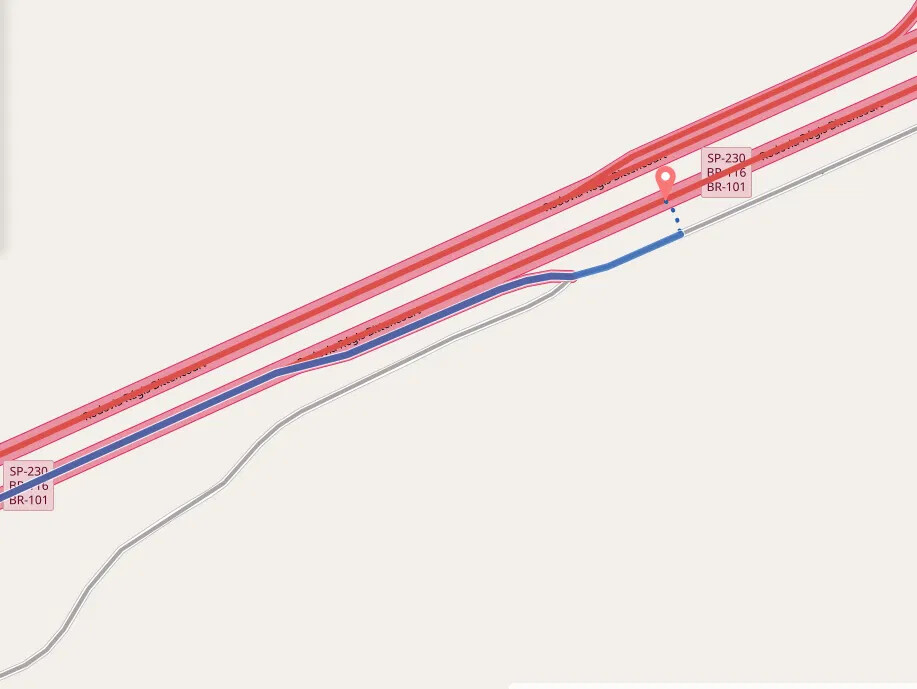
The route should follow for the redline, instead of the blue line.
Analising the routing graph I could realize that 3 different segments makes this little network.
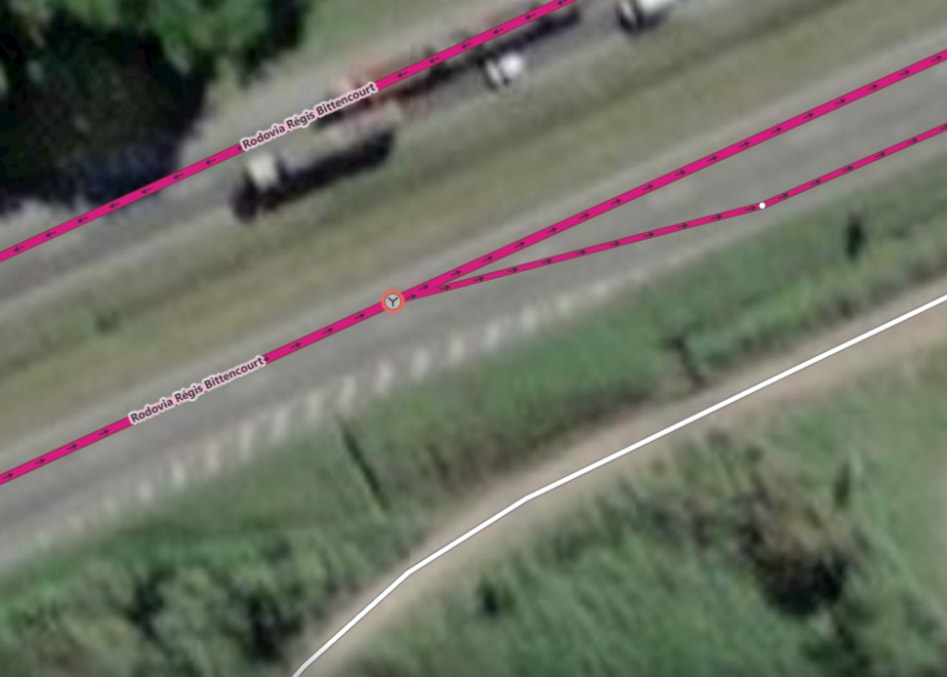
And this segments have a weird subnetwork flag:
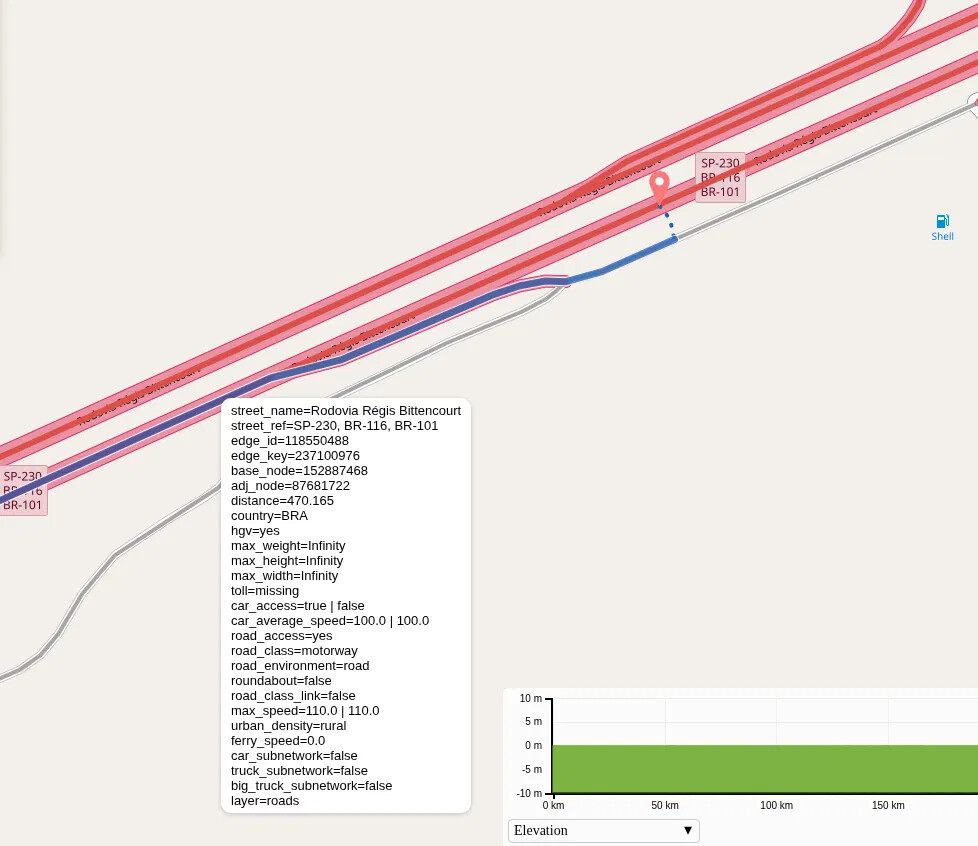
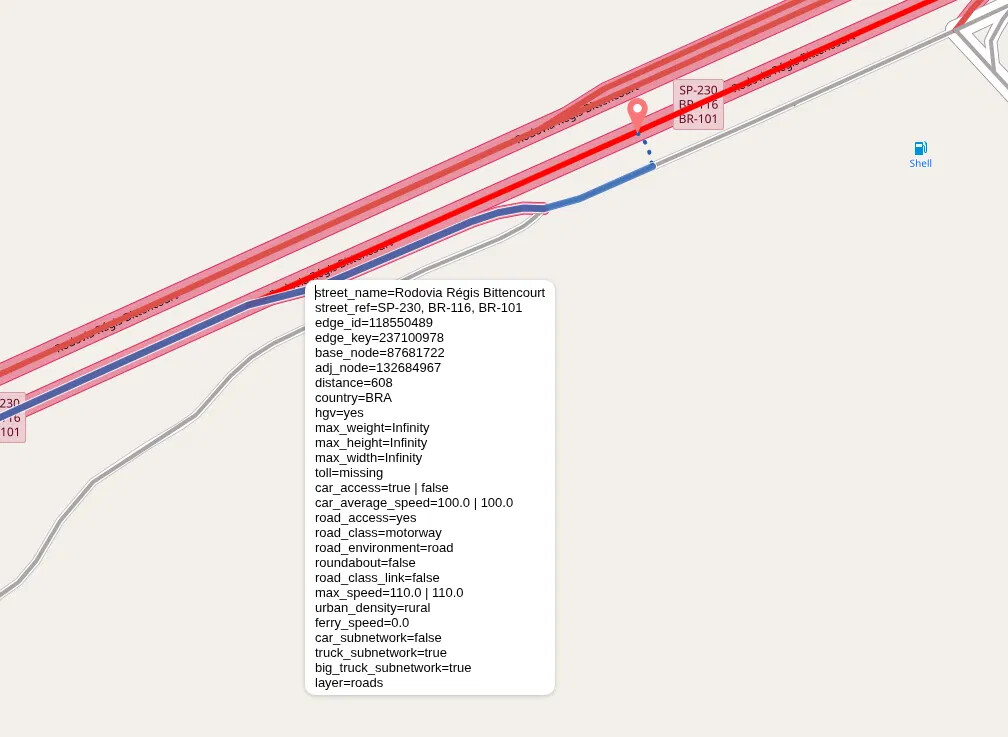
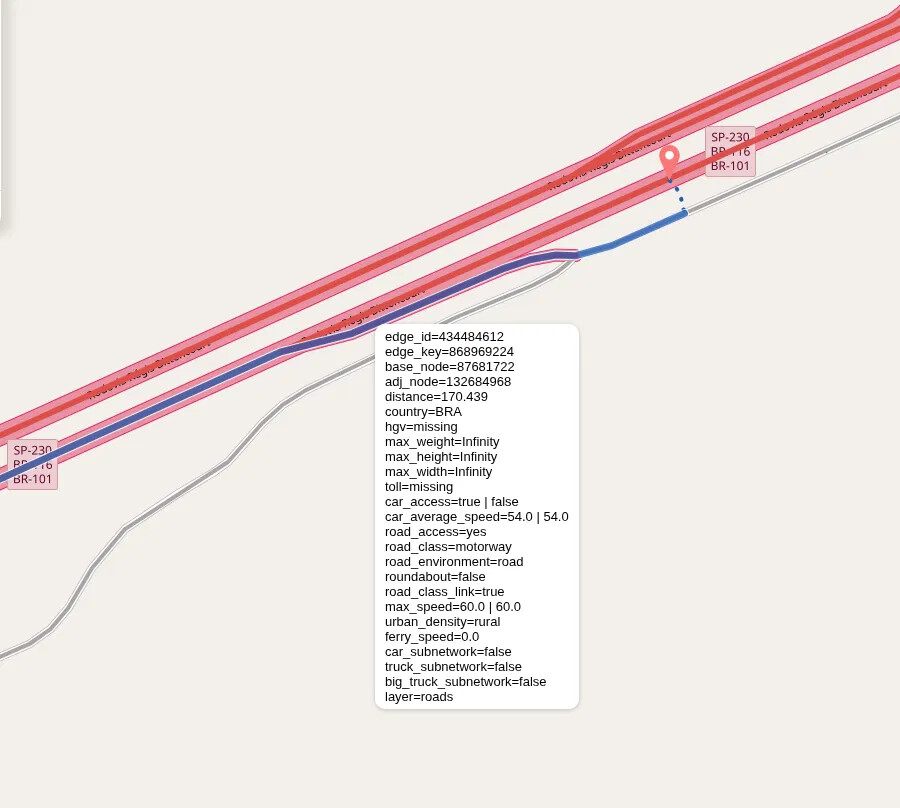
The segment where the route should follow have truck_subnetwork and big_truck_subnetwork with true, and I only could route through it with car profile. I believe is not just a coincidence.
I’m running a planet-260629 pbf, and this is my config.yml
    graphhopper:
      datareader.file: ""
      datareader.worker_threads: 16
      custom_models.directory: /data/config/profiles
      profiles:
        - name: car
          custom_model_files: [ car.json ]
        - name: truck
          custom_model_files: [ truck.json ]
        - name: big_truck
          weighting: custom
          custom_model_files: [ big_truck.json ]
      profiles_ch:
        - profile: car
        - profile: truck
      profiles_lm:
        - profile: car
        - profile: truck
        - profile: big_truck
      prepare.min_network_size: 1000
      prepare.subnetworks.threads: 50
      prepare.ch.threads: 2
      prepare.lm.threads: 3
      routing.non_ch.max_waypoint_distance: 100_000_000 #100.000.000
      routing.max_visited_nodes: 15_000_000 #15.000.000
      import.osm.ignored_highways: footway,cycleway,path,pedestrian,steps # typically useful for motorized-only routing
      index.max_region_search: 30
      graph.location: graph-cache
      graph.dataaccess.default_type: RAM_STORE
      graph.encoded_values: country,hgv,max_weight,max_height,max_width,toll,car_access,car_average_speed,road_access,road_class
    server:
      application_connectors:
        - type: http
          port: 8989
          bind_host: localhost
          max_request_header_size: 50k
      request_log:
        appenders: []
      admin_connectors:
        - type: http
          port: 8990
          bind_host: localhost
    logging:
      appenders:
        - type: file
          time_zone: UTC
          current_log_filename: logs/graphhopper.log
          log_format: "%d{yyyy-MM-dd HH:mm:ss.SSS} [%thread] %-5level %logger{36} - %msg%n"
          archive: true
          archived_log_filename_pattern: ./logs/graphhopper-%d.log.gz
          archived_file_count: 30
          never_block: true
        - type: console
          time_zone: UTC
          log_format: "%d{yyyy-MM-dd HH:mm:ss.SSS} [%thread] %-5level %logger{36} - %msg%n"
      loggers:
        "com.graphhopper.osm_warnings":
          level: DEBUG
          additive: false
          appenders:
            - type: file
              currentLogFilename: logs/osm_warnings.log
              archive: false
              logFormat: '[%level] %msg%n'
In the Graphhopper web, the same problem doesn’t happen.
Here’s the coordinates to reproduce the error:
Start: -24.27515,-47.412064
End: -24.273523,-47.408053